What to send your web designer before they start
A checklist of business details, photos, useful links and access information to prepare before your build.
A little preparation makes it easier to plan a website and reduces the questions that interrupt a build. You do not need finished marketing copy or a technical brief. Clear notes and the materials you already have are a useful starting point.
Describe the business
Send the business name exactly as you use it, a short explanation of what you do, and a list of services or products.
Include the areas you cover, your opening hours and the contact details you want published. Say which contact method you prefer customers to use, whether that is a call, form, message or booking link.
Knowing why a particular service matters to the business helps your designer decide how prominently to present it, especially if it is not currently the service most customers associate with you.
Gather your existing materials
Useful files and links include:
- Your logo in the highest-quality format available.
- Original photos of your work, team, premises or products.
- Your current website and social pages.
- Brand guidelines or examples of existing printed material.
- Reviews or testimonials you have permission to publish.
- Service descriptions, menus, price lists or brochures.
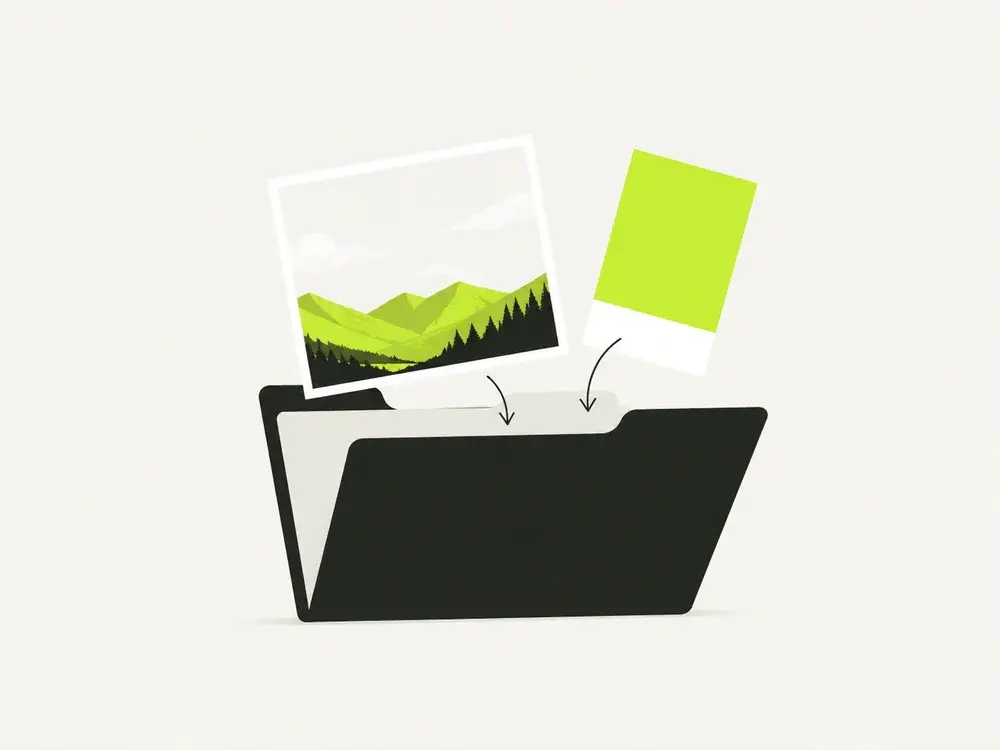
Grouping files by service or project, with a short note about what each set shows, is usually enough to make them useful. You do not need a perfectly organised folder before the conversation can begin.
Share what customers need to know
Think about the questions people ask before choosing your business. These might concern availability, the process, guarantees, preparation or what is included in a price.
Explain who your typical customers are and what matters to them. A landlord arranging repeat maintenance may need different information from a homeowner planning their first renovation.
If you have examples of websites you like, send the links with a reason. Knowing that you like the navigation or the way projects are presented is more useful than a link on its own.

Send usable photographs
Original image files give the designer more flexibility than screenshots or compressed copies from messaging apps.
For project work, include a wider view and a few details. Before-and-after photographs can be useful when they show the same space clearly. Only share images you have the right to use, and flag any people, addresses or private details that should not be published.
If you need to take new photos, ask which shots would be most useful before spending time on them.
Explain existing access without sending passwords
Let the designer know who manages your domain, hosting and current website. Where possible, use account invitations or an agreed secure handover method rather than putting passwords into an ordinary message.
An existing site may also have forms, bookings or analytics that need to keep working. Mention them early, even if you are not sure how they were set up.
Turn rough notes into a usable service brief
For each main service, write a short paragraph covering what it involves, who normally asks for it and what happens next. Include any boundaries. A cleaner might offer regular domestic cleaning but not end-of-tenancy work; a builder might take full renovations but not small repairs.
Specific notes are easier to turn into useful copy than a list of adjectives. Instead of “friendly, professional and reliable,” explain how appointments are arranged, who attends and what the customer needs to prepare. Your designer can improve the wording, but only you can confirm how the business actually operates.
Here is a simple structure you can copy into an email:
- Service: the name customers use for it.
- Suitable for: the situations or people it helps.
- Included: the main work or deliverables.
- Not included: anything commonly misunderstood.
- Location: where the service is available.
- Next step: what information you need to arrange it.
You do not need to fill every line for every minor service. Begin with the work you most want the site to explain.
Organise photos so their context survives
A shared folder is more useful when each group of images has a short explanation. “Kitchen renovation, Barnet, completed this spring” tells a designer far more than a folder called “new pics.” Include the service shown, what changed and which photos should be used together.
Keep original files alongside any edited versions. Avoid sending only a collage, because it can be difficult to crop for a narrow phone screen. If a photo contains a customer, vehicle registration, private paperwork or a recognisable address, point that out before publication.
For product photographs, use a clean background, consistent light and several angles. Include a detail that helps customers understand scale or finish when relevant. Do not use heavy filters that change the apparent colour of something you sell. Ask the designer what shape of image the layout needs before arranging a larger shoot.
When choosing between photographs, consider what each one helps a customer understand about the work. A less polished image that clearly shows a relevant detail may be more useful than an attractive shot that tells them very little.
Make an inventory of what must keep working
If this is a redesign, list more than the pages you can see. Think about the business processes connected to the site:
- Enquiry forms and the inboxes they send to.
- Booking links, payments and confirmation messages.
- Downloads or documents customers regularly use.
- Important existing page addresses shared in emails or adverts.
- Business email connected to your domain.
- Analytics and Search Console access, if already configured.
Changing a website and changing business email are separate tasks, even when they share a domain. Tell your designer if uninterrupted email is essential, and agree what will and will not be changed. Do not cancel old services until the handover has been checked.
Keep feedback in one place
If several colleagues need a say, having one person collect and approve their combined feedback makes the process easier for everyone. It gives the designer a clear set of changes to work through instead of conflicting instructions arriving separately through calls, email and messages.
Make feedback concrete: name the page, identify the section and explain what is inaccurate or difficult to understand. “Our emergency service is only available to existing customers” is actionable. “This doesn't feel right” usually needs another conversation.
Agree whether feedback is about correcting facts, adjusting the design or adding new work. A new service page requested halfway through may affect the schedule differently from correcting a phone number. The UK website cost guide explains how content preparation affects a quote and includes build-plus-care calculations for the first year.
Send what you have, and flag what is missing
You can start with notes, a folder of photos and links to existing material. Add a short list of anything still outstanding and who is responsible for it. That lets the work be planned around real dependencies instead of a vague promise that everything will arrive soon.
If you are ready to discuss the project, use the contact form for the outline. Account invitations and any sensitive handover can be arranged separately.
What can wait
You do not need to write polished page copy or decide every design detail before speaking to a developer. For my projects, I can organise your notes and draft the pages for review.
The important part is checking that the finished wording is accurate. Agree who will approve the design and content, and allow time for that feedback within the project schedule.
A complete starting brief helps establish a realistic timeline. If some materials are still being prepared, say so at the beginning so the work can be planned around them.